What's the Jobs System?
The Jobs System is Unity's multithreading solution.
It is designed to work with the highly optimized Burst Compiler that is built into Unity. Burst
can only work with a subset of C# called High Performance C# - but can massively improve for performance.
Jobs uses Work Stealing, which allows worker threads to take work on that is assigned to other threads in order
to get through the work queue faster. It also has good built in saftey features that ensure programmers write
thread-safe code.
While Jobs is very very cool, it is not a tool for every situation. Jobs is useful for processing collections
- like handling movement for 2000 agents or doing math on a pathfinding graph. However, it requires a different
approach than traditional single-threaded code, and can even hurt performance if used in some situations.
What did I do, and why?
I have recently had the itch to learn something new and technical that would bring my skills to the next level.
I decided it would be worth taking the time to learn Jobs.
I also recently released a game on Steam - Survive the Squids - that has large numbers of agents pathfinding
at once, and I might want to make another like that soon.
How the project went
In the beginning, I wanted to do a Jobs implementation of the A* pathfinding algorithm. All projects I have done so far
either used A* or the Unity Navmesh System. So, I went ahead and got started. I built out
the core logic for A* with the help of AI and got a simple solution working, but two problems quickly arose.
A* is not designed for large quantities of actors and therefore not performant for my use case. A* is designed for finding optimal paths for a given
target position, taking into account cost of the ground covered. It wasn't designed with thousands of agents moving at once in mind, and I soon realized
there were algorithms out there that better sutied my needs.
A* is complex and not well suited for a learning project regarding Jobs. A* is not incredibly complicated on its own, and anyone could
watch a youtube tutorial or read a guide and reproduce the algorithm. It has been done countless times and is nothing new. However since the goal
of my project was to use a pathfinding project to learn how to work with Jobs, it just made sense to look for something with less complexity.
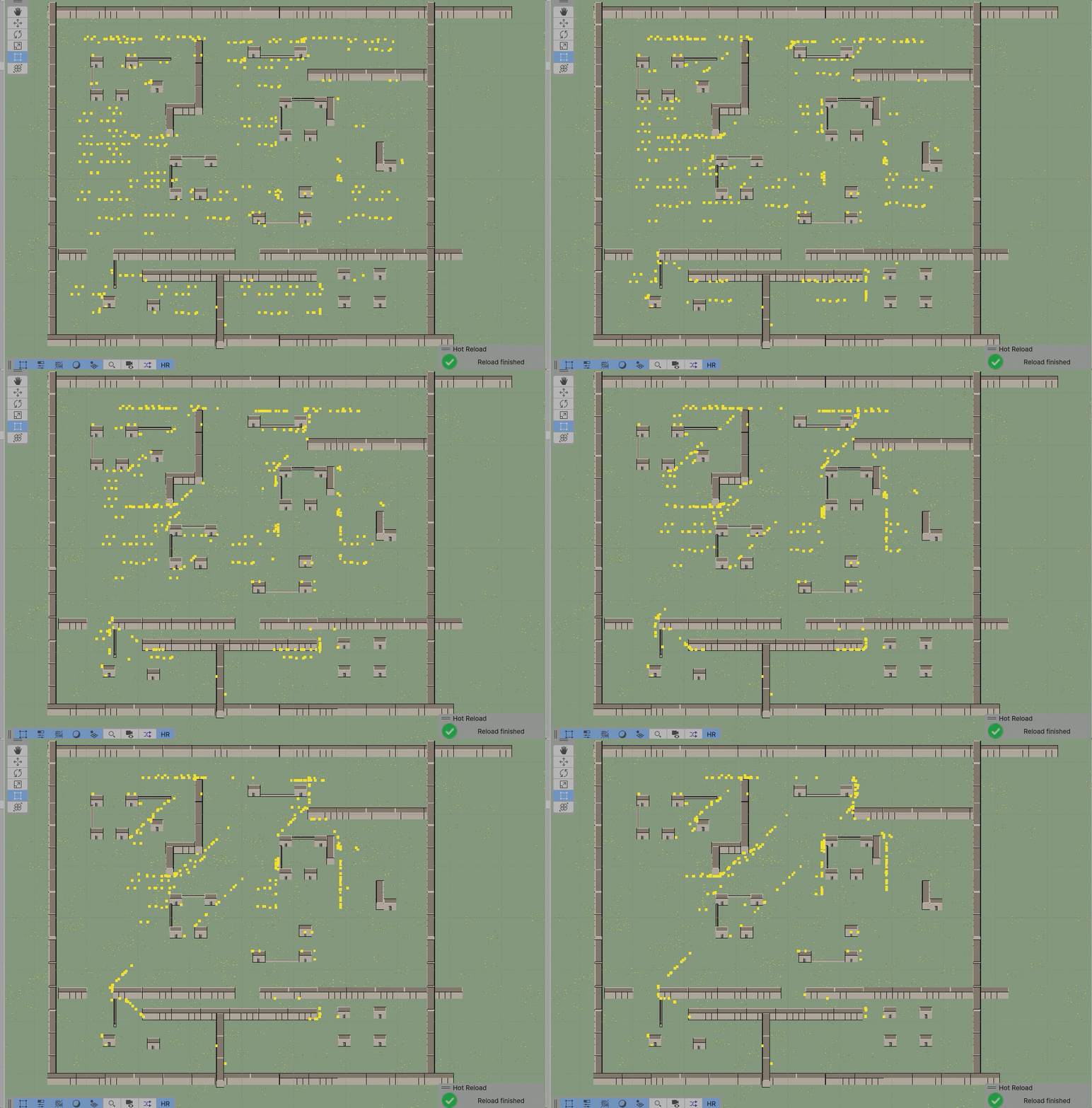
So after a little research I found a solution - the Flow Field algorithm. The Flow Field algorithm is pretty simple - it calculates the distance
at each grid point from the target. Then, it generates a vector that represents the direction towards the next-lowest-cost grid point, which will
lead the agent towards the target. Flow Field is good when you just need a lot of agents to be able to move towards the same point
(definetly the case in a Survivorslike game) without worrying about optimality. Of course, this made me realize that A* was never an appropriate algorithm
choice for most of my previous games anyway - but lesson learned!
So I decided to pivot and implement a single-threaded Flow Field algorithm. Easy enough - again with the help of AI, I had that boiler plate code done
within an hour or two. As is the case with AI, reviewing the code and ensuring it was laid out in a way that makes sense and is maintainable took a
little extra time. At this point, it was time to begin "Jobification."
I first addressed the agent's movement in two parts - retrieving the vector for movement from the flow field, and then applying that movement to the
agent's transform. For the first part a simple IJobParallelFor worked fine. The second required IJobParallelForTransform - a very cool job interface.
Normally, jobs can only operate on unmanaged code - things like structs as opposed to class, NativeArrays, floats, uints, etc. However with
IJobParallelForTransform one can make modifications to a GameObject's transform! Anyways, using Jobs requires restructuring the code such that it
works with unmanaged types, it uses the "math" library rather than "mathf", ensuring that intialized objects are disposed, and ensuring that job
dependencies are handled. The saftey system is very particular and won't let you get away with any loose ends!
After these first two implementations, I saw a minor FPS boost - but not one that I felt really achieved what I wanted. So, I decided to jobify the
flow field generation. Flow field generation happens whenever the target moves, and if you're making a game with the player as the target, that's going
to be very frequent. So, it is an essential thing to jobify. I broke the flow field generation down into three different jobs - intialization, integration,
and flow generation. This part went pretty smooth - and I would have expected to see a large FPS boost - but again I only saw a few frames difference!
At this point, I stopped ignoring a thought that had been sitting in the back of my head: "What if the bottleneck with 2000 GameObjects isn't pathfinding?".
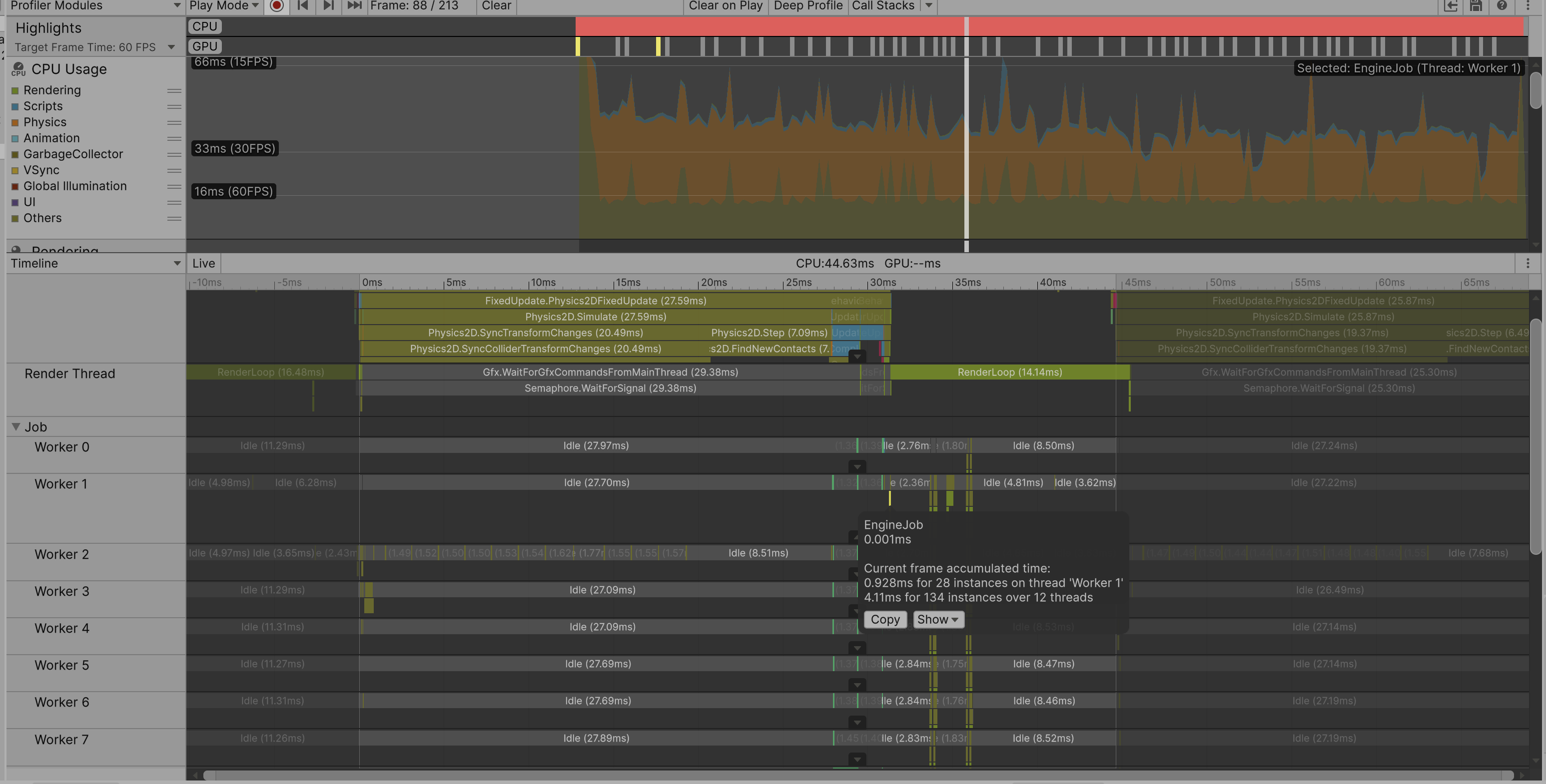
Using the profiler, I noticed a huge amount of time being taken up by Physics. I had previously ignored this (tunnel vision!), but when I inspected my Agent
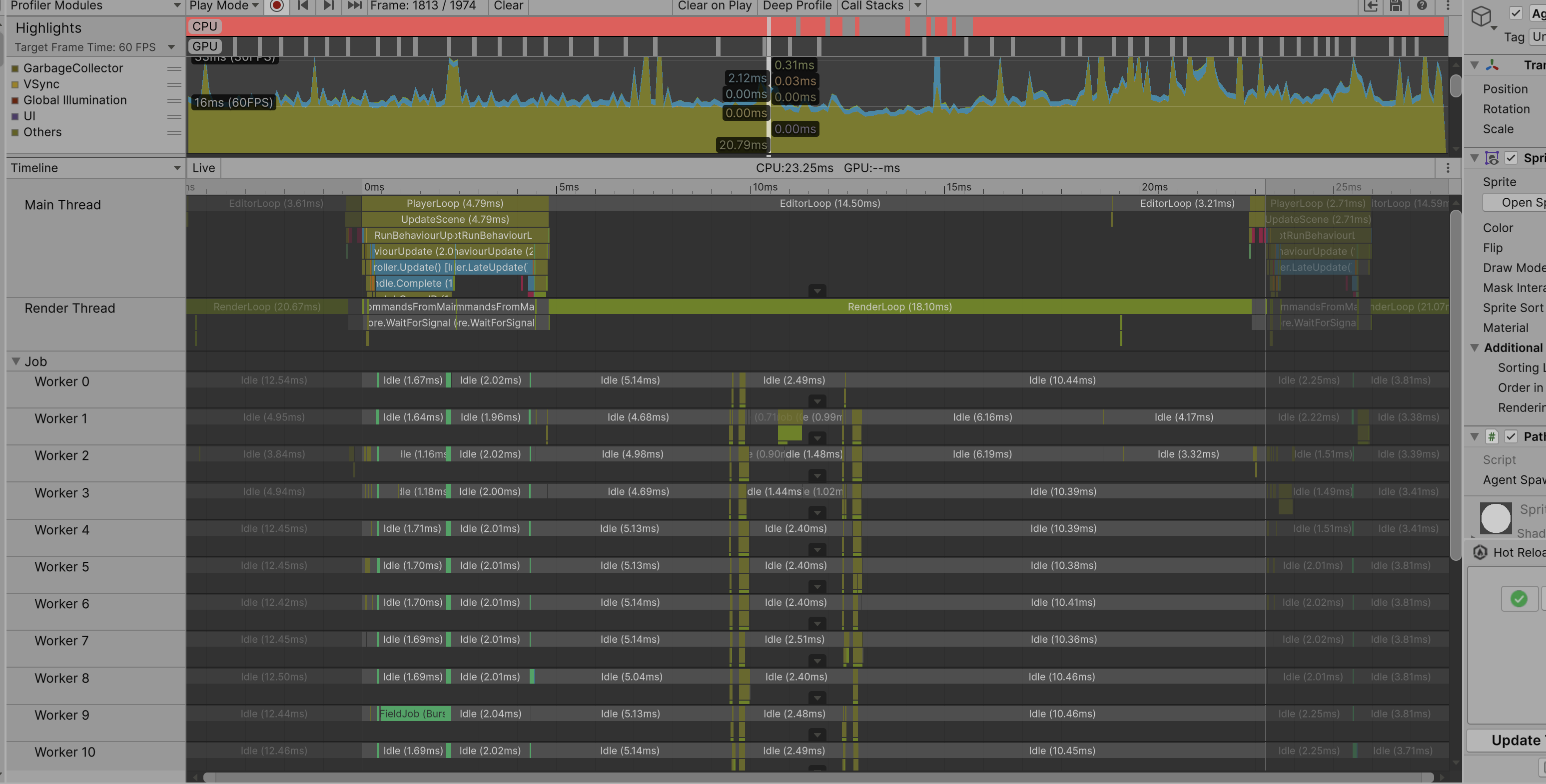
prefab, I noted that every agent had a collider - and that is a huge deal! Removing the collider from the agents REALLY brought the FPS up; in fact FPS doubled
from just that step. If we did want to detect collisions (for example if we wanted to make a shooter game out of this), there are known solutions for that which
are much more lightweight. At this point, the effects of the jobs I wrote were much more apparent too, now that the physics bottleneck was removed.
Observe the orange colored graph representing the effect of Physics calculations on the system.
In the picture below - observe the effect of the colliders being removed - physics isn't even on the graph!
And that's about where I decided to wrap up! I had implemented about 6 jobs, and I feel that I have a good grasp on how to do so and what kind of code is a
good candidate for the Jobs System and what isn't. I could have added many more optimizations at this point - for example an obvious optimization would have been
not regenerating the flow field every single frame. And the same could be applied to agent pathfinding - do they really need to know where they're going every
frame? And of course there are probably algorithm optimizations with the flow field generation that I could develop. But - the goal has been met, and it's time to move on.
Lessons learned
Identify the biggest bottleneck and work down from there! I ignored the Physics bottleneck because the goal of the project was to implement Jobs to improve performance
- but if we can't even see the effect of jobs because of other bottlenecks, then there's no point!
Question your assumptions. For example, "Is this algorithm even appropriate?". My choice of A* intially was built on "I used this for previous projects",
but even that wasn't an appropriate choice.
Develop a good scenario first when doing performance improvements. You need a good test scenario, and you need a way to swap between the "improved" version and the original
version and run that same test.
Jobs is really really cool!It was very neat thing to learn and I'm glad to have this tool ready to go when I recognize a good candiate moving forward!
Where can you see the stuff?
Check out my github page for the project:
Chicken Pathfinding
 Hey! I'm Joe, and I’m a professional software engineer specializing in Unity and C#.
I have had a successful career in the simulation industry since I started back in 2018 as an intern - working in Military Simulation and Training first, and then moving into Football simulation software.
In both jobs I have worked with game/simulation software; Unity primarily. I have had a very wide range of experiences in these roles, and have learned so much.
The importance of writing good code (and what happens to a project if you don’t), how to take personal responsibility for a task or system, how to do the mental translation between
a request from a client to an actionable feature, how to deal with the stress and emotions during a crunch period, and so on.
Hey! I'm Joe, and I’m a professional software engineer specializing in Unity and C#.
I have had a successful career in the simulation industry since I started back in 2018 as an intern - working in Military Simulation and Training first, and then moving into Football simulation software.
In both jobs I have worked with game/simulation software; Unity primarily. I have had a very wide range of experiences in these roles, and have learned so much.
The importance of writing good code (and what happens to a project if you don’t), how to take personal responsibility for a task or system, how to do the mental translation between
a request from a client to an actionable feature, how to deal with the stress and emotions during a crunch period, and so on.